
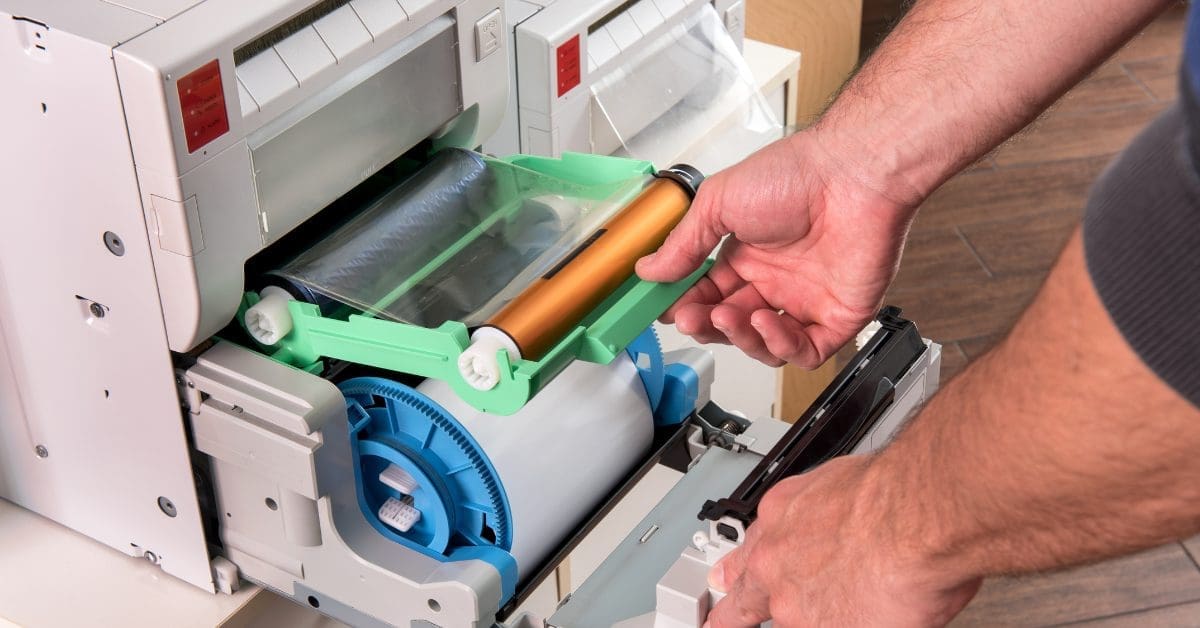
It’s easy to ignore your copier when it works well. You load the paper, press a button, and get the copies or prints you need.
That changes fast when the machine starts to fail.
Paper jams slow down your staff, and poor print quality makes documents look unprofessional. Error codes can stop work with little warning. Small copier problems can soon turn into lost time and higher costs.
Knowing when to call for copier repair in Middle Tennessee helps you deal with these issues before they get worse. At BBE Solutions, we perform copier repairs for Konica Minolta and Sharp copiers and will get you back to work as quickly as possible.
Here are some common signs that your copier needs service.
1. Your Copier Keeps Jamming

An occasional paper jam may not be a big concern. Paper can curl, stick together, or get loaded the wrong way.
Frequent jams are different.
If your copier jams several times a week, there may be a problem with its rollers, paper feed system, sensors, or other parts.
Pay attention to where the jams happen. If paper keeps getting stuck in the same area, that can help a service technician find the cause.
Before calling for service, check the paper tray. Make sure the paper is dry, flat, and loaded the right way. You can also check for small scraps of paper inside the machine.
If jams keep coming back, it may be time for professional copier repair.
2. Copies Have Lines, Streaks, or Spots
Your copier should produce clean pages.
Dark lines, faded areas, spots, or streaks are signs that something is wrong. The cause may be as simple as dirty scanner glass. It may also point to a worn or dirty part inside the machine.
Start by cleaning the scanner glass with a safe cleaning method for your model. If the marks appear only when you use the document feeder, check its narrow strip of glass as well.
If the problem remains, schedule service.
A technician can find the source of the print defect and determine which part needs attention.
3. Print Quality Keeps Getting Worse
Poor print quality does not always happen overnight.
You may first notice that text looks less sharp. Photos may look dull, or colors may seem wrong. Some areas of a page may print lighter than others.
Changing toner helps in some cases. If fresh toner does not fix the issue, the copier may need service.
Do not wait until your pages become hard to read. If your business prints contracts, reports, sales materials, invoices, or client documents, print quality matters.
Professional service can help restore clean, consistent output.
4. The Copier Makes New or Unusual Noises
Office copiers make noise during normal use. You know what your machine usually sounds like.
A new sound deserves attention.
Grinding, clicking, squealing, or repeated knocking can point to a worn or damaged part. Continuing to run the copier may make the problem worse.
Stop using the machine if the sound is loud or severe.
A service call can help find the cause before one damaged part leads to a larger repair.
5. The Machine Is Slower Than Usual
Does your copier take longer to warm up? Are print jobs sitting in the queue? Does scanning seem slower than it used to?
A slow copier can have many causes.
The problem may come from the machine itself. It may also involve its network connection, print settings, storage, software, or the size of the files being sent.
Try restarting the copier first. Check whether the issue affects every user or only one computer.
If the whole office has the same problem, the copier or network setup may need attention.
6. Error Codes Keep Coming Back

Modern copiers tell you when something is wrong.
An error code may appear after a paper jam, failed print job, or internal fault. Some errors clear after a restart. Others return again and again.
Do not keep resetting a machine if the same code comes back.
Write down the full error code and the steps that cause it to appear. This information can help your copier service provider diagnose the issue faster.
Avoid taking apart areas of the machine that the manufacturer does not list as user-serviceable. Copiers contain hot parts, moving parts, and sensitive components.
7. Scanning Is Unreliable
A modern office copier does much more than make copies.
Your team may use it to scan documents to email, network folders, USB drives, or other destinations. BBE Solutions offers multifunctional systems with network scanning features, so a scan problem can affect an important part of an office workflow.
Common scanning issues include:
- Failed scan-to-email jobs
- Lines on scanned documents
- Missing pages
- Slow scanning
- Files going to the wrong folder
- Problems with the automatic document feeder
Some scan problems come from network or email settings rather than broken hardware.
A trained service provider can help determine whether the copier, network, settings, or another system is causing the problem.
8. The Copier Needs More Repairs Than It Used To
Older copiers often need more care.
One service call may make sense. A steady stream of repair calls is another matter.
Track how often the machine breaks down. Also track what you spend on repairs, parts, and supplies.
Ask yourself a simple question:
Is repairing this copier still the best use of our budget?
There comes a point when replacing an old copier may cost less than keeping it in service.
A copier professional can help you compare repair costs with the cost and benefits of a newer machine.
Why Fast Copier Repair Matters for Middle Tennessee Businesses
A copier problem affects more than the copier.
Think about a medical office that needs patient forms, a law firm preparing case files, a school printing classroom materials, or a business preparing documents for a client meeting.
When the copier stops, work can stop with it.
For organizations across Middle Tennessee, fast service reduces downtime and keeps work moving.
Calling for service early may also prevent a small issue from becoming a more costly repair.
What to Check Before Calling for Copier Service
A few simple checks can save time.
First, restart the copier and see if the error returns. Check the paper trays for damaged or damp paper. Confirm that toner and other supplies are installed the right way.
If one employee cannot print, test the copier from another computer. This helps you distinguish between a copier problem and a computer or network issue.
You should also write down any error codes.
When you call for copier repair in Middle Tennessee, be ready to share:
- The copier brand and model
- The error code, if there is one
- What happened before the problem started
- How often the issue occurs
- Whether copying, printing, scanning, or all functions are affected
These details make the service process easier.
Repair or Replace Your Copier?
Repair is often the right choice when a copier is still a good fit for your office and the issue can be fixed at a reasonable cost.
Replacement may make more sense when the machine breaks down often, no longer meets your print needs, or costs too much to maintain.
Consider the copier’s age, repair history, monthly print volume, and effect on productivity.
Your business may also have different needs today than it did when you bought the machine. A newer multifunctional device may offer faster printing, better scanning, stronger security features, or features that better fit the way your team works.
The goal is not to replace a copier just because it has a problem. The goal is to make the choice that makes sense for your office.
When it’s time to invest in new equipment, consider leasing your next copier from BBE Solutions. We offer high-quality copiers from top brands like Sharp and Konica Minolta. Plus, when you lease from us, your agreement can include bonuses like free maintenance and repairs. If you’d like to learn more about leasing a copier from us or how to make free maintenance and repairs part of your agreement, please contact us.
Need Copier Repair in Middle Tennessee?
Do not let a copier problem disrupt your work longer than it has to.
BBE Solutions helps businesses find office technology that supports their day-to-day operations. If your copier is jamming, producing poor-quality pages, showing repeated errors, or giving you other problems, professional service can help you find the cause and decide what to do next.
Contact BBE Solutions to discuss copier repair in Middle Tennessee and get help with your Sharp or Konica Minolta copier.
Frequently Asked Questions About Copier Repair in Middle Tennessee
How do I know if my copier needs professional repair?
Call for service if the same problem keeps coming back after basic checks. Frequent paper jams, poor print quality, strange noises, recurring error codes, and failed scans all point to problems that need professional attention.
How can I prevent frequent copier problems?
Use the right paper, store it in a dry place, replace supplies as needed, and follow the maintenance steps listed for your copier. Regular service can also help find worn parts before they cause downtime.
Should I repair or replace an old copier?
It depends on the age of the machine, repair cost, repair history, and your current print needs. If breakdowns are common or the copier no longer fits your needs, ask your provider to compare the cost of repair with replacement.
What information should I have before requesting copier repair?
Have the copier’s brand and model ready. Please note that, at BBE Solutions, we only repair Konica Minolta and Sharp copiers. Write down any error codes and describe what the machine was doing when the problem occurred. Tell the service provider whether the issue affects printing, copying, scanning, or more than one function.
Why should I use a local Middle Tennessee copier service provider?
A local provider understands the needs of businesses in the area and can provide faster, more direct support. Building a relationship with a local service team also makes future maintenance and repair needs easier to manage.

